01TL;DR
TL;DR: 3D Printing in 30 Seconds
3D printing = digital file → layer-by-layer physical object. Think of it as a hot glue gun that follows GPS coordinates to build stuff from the ground up.
- How: Melted plastic (or resin) gets squeezed out in precise patterns
- What: Prototypes, tools, art, replacement parts, miniatures
- Time: 30 minutes to 50+ hours depending on size/complexity
- Cost: Printers: $200-$5000+, Materials: $20-50/kg
- 2026 Reality: It's mainstream, reliable, and surprisingly versatile
02Featured work
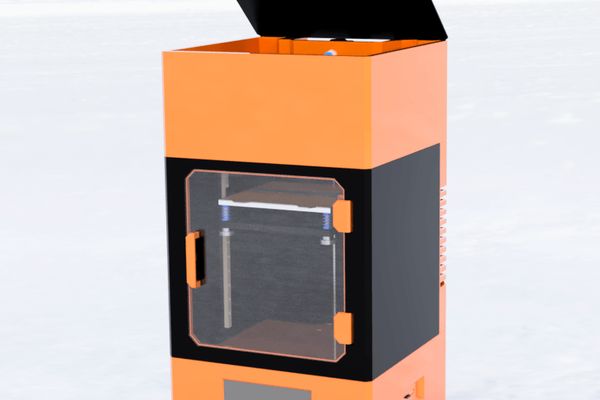
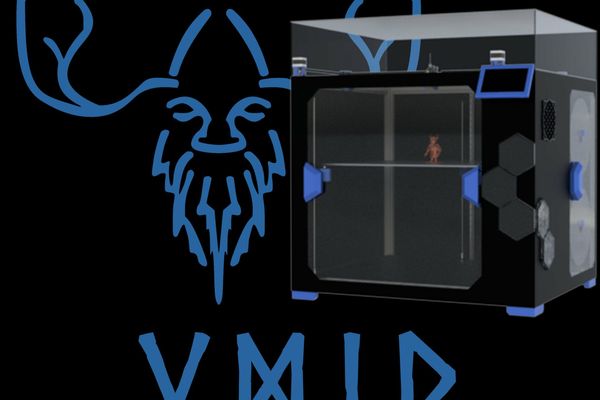
Featured 3D Models & Projects
03About
About MakerViking
3D Designer & Open Source Creator
🏆 Top 1% Designer on Thangs
MakerViking specializes in 3D printing and open-source hardware design. With extensive experience in custom CoreXY printer development, digital sculpting, and additive manufacturing, MakerViking has built a reputation for creating innovative solutions that push the boundaries of desktop 3D printing.
Technical Expertise
- • CoreXY 3D Printer Design
- • Custom Mechanical Engineering
- • Digital Sculpting & Miniatures
- • Additive Manufacturing Optimization
- • Open Source Hardware Development
Community Recognition
- • Featured designer on Thangs platform
- • Active YouTube educational content
- • Discord community leadership
- • Open source project contributions
- • Industry contest winner
04Field guide
3D printing (also called additive manufacturing) is like having a magic machine that turns your wildest digital dreams into physical reality—one tiny layer at a time.
Imagine you're building a LEGO tower, but instead of stacking blocks, you're squirting out melted plastic in precise patterns. Each layer bonds to the one below it, gradually building up your object from the bottom to the top. That's essentially what happens in FDM printing (the most common type).
But here's where it gets interesting: we're not just talking about plastic anymore. In 2026, you can 3D print with metals, ceramics, glass, food, living cells, and even concrete. The technology has exploded beyond what most people realize.
The "Additive" Difference
Traditional manufacturing is "subtractive"—you start with a block of material and cut away what you don't need. 3D printing is "additive"—you start with nothing and build up exactly what you want. This means less waste, more complex geometries, and the ability to create things that would be impossible to manufacture any other way.
Common Applications in 2026:
- Prototyping: Test your designs before mass production
- Replacement Parts: That broken plastic widget? Print a new one
- Custom Tools: Jigs, fixtures, and specialized tools for specific tasks
- Art & Miniatures: Detailed sculptures and gaming pieces
- Medical Devices: Prosthetics, dental implants, even organs (yes, really)
- Aerospace & Automotive: Lightweight, complex parts impossible to machine
The 3D printing process might seem like magic, but it's actually pretty straightforward once you break it down:
1Design Phase
Create or download a 3D model using CAD software like Fusion 360, Tinkercad, or Blender. The file is typically saved as an STL or OBJ format.
2Slicing
Software like Cura or PrusaSlicer converts your 3D model into thousands of 2D layers, generating the exact path your printer will follow.
3Preparation
Level your build plate, load filament, and set your temperatures. Modern printers handle most of this automatically.
4Printing
Your printer heats the material and deposits it layer by layer, following the sliced path. This can take anywhere from 30 minutes to 50+ hours.
What Actually Happens During Printing:
- Heating: The hotend heats up to 180-260°C (depending on material)
- Extrusion: Filament gets pushed through and melted
- Deposition: Molten plastic gets squeezed out through a tiny nozzle (usually 0.4mm)
- Cooling: Each layer cools and solidifies before the next one is added
- Bonding: New layers fuse with previous ones while they're still slightly warm
Pro Tip for 2026:
Modern printers with automatic bed leveling, filament runout sensors, and remote monitoring make the process much more reliable than it was even 5 years ago. You're not babysitting prints like you used to!
The material game has completely changed. Here's what you can actually print with in 2026:
🟢 Beginner-Friendly Materials
- PLA (Polylactic Acid): Biodegradable, low-temperature, smells like waffles when printing. Perfect starter material.
- PETG: Crystal clear, chemical resistant, food-safe. The sweet spot between easy and durable.
- TPU (Flexible): Rubbery, flexible prints. Great for phone cases and gaskets.
🟡 Intermediate Materials
- ABS: Stronger, more heat-resistant than PLA. Requires enclosure due to warping.
- HIPS: Lightweight, impact-resistant, often used as dissolvable support.
- Wood-filled PLA: Contains real wood particles, can be sanded and stained.
🔴 Advanced Materials (2026)
- Carbon Fiber Composites: Incredibly strong, lightweight. Used in aerospace applications.
- Metal-filled Filaments: Bronze, copper, steel particles. Can be polished to metal-like finish.
- Ceramic Materials: High-temperature resistance, electrical insulation properties.
- Conductive Filaments: Print working circuits and electronic components.
Beyond FDM - Resin Printing Materials:
- Standard Resin: High detail, perfect for miniatures and jewelry
- Tough Resin: Impact-resistant, more like injection-molded parts
- Flexible Resin: Rubber-like properties with high detail
- Castable Resin: Burns out clean for investment casting
- Bio-compatible Resin: Safe for skin contact, used in medical applications
2026 Material Costs:
Budget for materials has become much more reasonable:
- PLA/PETG: $20-30/kg
- ABS: $25-35/kg
- Specialty materials: $40-100/kg
- Standard resin: $30-50/liter
One of the most common questions: "How long does it take?" The answer: it depends, but here are some realistic expectations for 2026:
Quick Prints
30min - 3hrs
Small accessories, phone stands, simple tools
Medium Prints
3 - 12hrs
Functional parts, detailed miniatures, prototypes
Long Prints
12+ hrs
Large models, high-detail prints, multi-part assemblies
Factors That Affect Print Time:
- Size: Bigger objects = more material = longer time
- Layer Height: 0.1mm layers = higher detail but 3x longer than 0.3mm
- Infill Percentage: 20% infill vs 100% can double print time
- Print Speed: You can go faster, but quality may suffer
- Support Material: Complex overhangs require supports, adding time
- Number of Parts: Printing multiple objects simultaneously
⚡ 2026 Speed Improvements:
Modern printers are significantly faster than older models:
- Linear Advance: Better flow control = higher speeds without quality loss
- Input Shaping: Reduces vibrations, allows faster acceleration
- Multi-Material Systems: Print support and model simultaneously
- Larger Nozzles: 0.6mm or 0.8mm nozzles for faster large prints
3D printing isn't just a cool gadget—it's fundamentally changing how we think about manufacturing, design, and problem-solving. Here's why it matters in 2026:
Personal Manufacturing Revolution
- Fix things instead of replacing them
- Create custom solutions for unique problems
- Prototype ideas quickly and cheaply
- Reduce dependence on mass manufacturing
Supply Chain Resilience
- Local production of critical parts
- Rapid response to shortages
- Reduced shipping costs and delays
- Support for circular economy principles
Industries Being Transformed:
Healthcare
Custom prosthetics, surgical guides, dental implants, and even bioprinted organs
Aerospace
Lightweight, complex geometries impossible to machine traditionally
Education
Hands-on learning, rapid prototyping for engineering students
Construction
3D printed houses, bridges, and architectural components
The Real Game-Changer:
3D printing democratizes manufacturing. What used to require expensive tooling, minimum order quantities, and industrial infrastructure can now happen on your desk. That's not just convenient—it's revolutionary for innovation, entrepreneurship, and solving local problems with local solutions.
Let's keep it real—3D printing isn't magic. Here are the current limitations and things to consider:
❌ What 3D Printing Isn't Great At (Yet)
- Mass Production: Still slower and more expensive than injection molding for high volumes
- Multi-Material Objects: Printing electronics, metals, and plastics together is complex
- Food Safety: Most 3D printed objects aren't food-safe due to layer adhesion
- Precision Machining: Can't match the precision of CNC machining for critical tolerances
- Transparent Parts: Getting glass-like clarity is still challenging
⚠️ Common Beginner Frustrations
- Failed Prints: Expect failures, especially when learning
- Post-Processing: Prints usually need cleanup, supports removal, sanding
- Layer Lines: Visible layer lines are normal, not defects
- Material Properties: 3D printed parts are often weaker than molded parts
- Size Limitations: Build volume restricts what you can print in one piece
Realistic Expectations for 2026:
✅ What to Expect:
- 70-80% first print success rate (modern printers)
- Decent quality out of the box
- Easy material swapping
- Reliable bed adhesion
- Remote monitoring capabilities
❌ Don't Expect:
- Perfect prints every time
- Zero maintenance
- Injection molding quality
- Instant results
- Professional results without learning
The Learning Curve Reality:
Plan for a 2-4 week learning period to get consistently good results. The technology has gotten much more reliable, but there's still skill involved in design, slicing settings, and troubleshooting. Think of it like learning to cook—anyone can do it, but mastery takes practice.
Getting great prints consistently comes down to proper calibration and understanding key settings. Here's what actually matters in 2026:
Essential Calibrations (Do These First):
🎯 Bed Leveling
Most critical calibration. Modern printers have automatic bed leveling, but you still need to set the Z-offset correctly.
Quick Check: First layer should be squished enough to stick but not so much that it's transparent.
🌡️ Temperature Tuning
Each filament brand/color can have slightly different optimal temperatures.
Quick Test: Print a temperature tower to find the sweet spot for your specific filament.
📏 E-Steps Calibration
Ensures your printer extrudes the exact amount of filament requested.
When to do: When switching to a new type of filament or if you notice over/under-extrusion.
Key Slicer Settings Explained:
| Setting | What It Does | Typical Values |
|---|---|---|
| Layer Height | Controls detail level and print speed | 0.1mm (high detail) to 0.3mm (fast) |
| Print Speed | How fast the printhead moves | 40-80mm/s (quality) to 150mm/s+ (speed) |
| Infill % | Internal density/strength | 10-20% (decorative) to 40%+ (functional) |
| Wall Thickness | Outer shell strength | 2-4 walls (0.8-1.6mm thick) |
2026 Pro Tip - Slicer Profiles:
Don't reinvent the wheel! Use manufacturer-provided slicer profiles as starting points. Companies like Prusa, Bambu Lab, and Ultimaker provide excellent baseline settings that work 90% of the time. Only tweak settings when you understand what you're changing and why.
The 3D printing landscape is evolving rapidly. Here's what's happening right now and what's coming next:
Hot Trends in 2026
- Multi-Material Printing: Single prints with multiple materials/colors
- AI-Powered Optimization: Automatic support generation and failure detection
- Faster Printing: Sub-10 minute prints for common objects
- Metal Printing Democratization: Desktop metal printers under $10k
- Sustainable Materials: Recycled ocean plastic, biodegradable composites
Technology Breakthroughs
- Continuous Printing: No more layer lines with liquid interface printing
- Room Temperature Printing: New materials that don't require heating
- Embedded Electronics: Print working circuits directly into objects
- Multi-Scale Manufacturing: Nano to macro details in single prints
- Self-Assembling Materials: 4D printing with shape-memory alloys
Industries Being Disrupted Next:
🏗️ Construction
3D printed houses, bridges, and infrastructure becoming mainstream
🍔 Food Industry
Personalized nutrition, complex food structures, and reduced waste
👗 Fashion
Custom-fit clothing, complex textile structures, and zero-waste production
🚗 Automotive
On-demand spare parts, custom modifications, lightweight structures
The Bigger Picture:
We're moving toward a world where digital becomes physical instantly. Imagine downloading not just software, but objects. Need a tool? Download and print it. Broke something? Print a replacement. Have an idea? Prototype it immediately.
The real revolution isn't just in the technology—it's in how it changes our relationship with objects, manufacturing, and creativity itself.
Ready to dive deeper? Here are the best resources to continue your 3D printing journey:
🛠️ Getting Started Resources
- Printer Recommendations
- Free Design Software
Tinkercad, Fusion 360 (free for personal use), Blender
- Model Libraries
Thingiverse, Printables, Thangs, MyMiniFactory
- Learning Platforms
YouTube channels, online courses, maker spaces
🎯 Next Steps
- Join Communities
TinkerAtlas, Reddit r/3Dprinting, Discord servers, local maker spaces
- Start Small
Print existing models before designing your own
- Learn CAD
Design skills are where the real power lies
- Experiment
Try different materials, settings, and applications
MakerViking Resources
The most common questions from beginners, answered straight:
Q: How much does a decent 3D printer cost in 2026?
A: $200-400 gets you a solid beginner printer (Ender 3 V2, Prusa MINI). $500-1000 gets you something really reliable with auto-leveling and better build quality (Prusa MK4, Bambu A1 mini). $1000+ gets you prosumer features like multi-material, enclosed chambers, and advanced sensors.
Q: Is 3D printing safe? What about toxic fumes?
A: PLA is very safe—it's made from corn starch and smells like waffles. ABS and PETG need ventilation but aren't dangerous with basic precautions. Resin printing requires gloves and ventilation. Modern printers have built-in air filtration for enclosed models.
Q: Can I print replacement parts for my car/appliances?
A: Yes, but with caveats. Great for non-structural, non-safety-critical parts like clips, brackets, knobs, and housings. Don't print brake components or load-bearing parts. Many manufacturers now provide official STL files for replacement parts.
Q: How hard is it to learn 3D modeling/CAD?
A: Start with Tinkercad (drag-and-drop, web-based)—you can create useful objects in an hour. Fusion 360 has a steeper learning curve but is incredibly powerful and free for personal use. Budget 2-3 months to become proficient with parametric modeling.
Q: What can't you 3D print?
A: Assemblies with multiple materials (like a phone), things requiring precise tolerances (like bearings), very large objects (limited by build volume), transparent glass-like objects (still challenging), and anything requiring professional surface finish without post-processing.
Q: Will 3D printing replace traditional manufacturing?
A: Not entirely, but it's complementary. 3D printing excels at customization, small batches, complex geometries, and rapid prototyping. Injection molding is still better for high-volume production. We're moving toward hybrid manufacturing where both methods are used strategically.
Q: How do I know if my design will print successfully?
A: Modern slicers show potential problems before printing. Key rules: avoid overhangs >45°, include support for overhangs >60°, make walls at least 0.8mm thick, and ensure adequate base contact. Most slicers now have built-in printability analysis.
Still have questions?
Join our community forums or check out the comprehensive guides in our wiki. The 3D printing community is incredibly helpful—don't hesitate to ask!
05Get started
Ready to Start Your 3D Printing Journey?
From complete beginner to expert maker—we've got the resources, community, and premium designs to help you succeed.