Recommended 3D Printers for Every Level and Budget (2026)
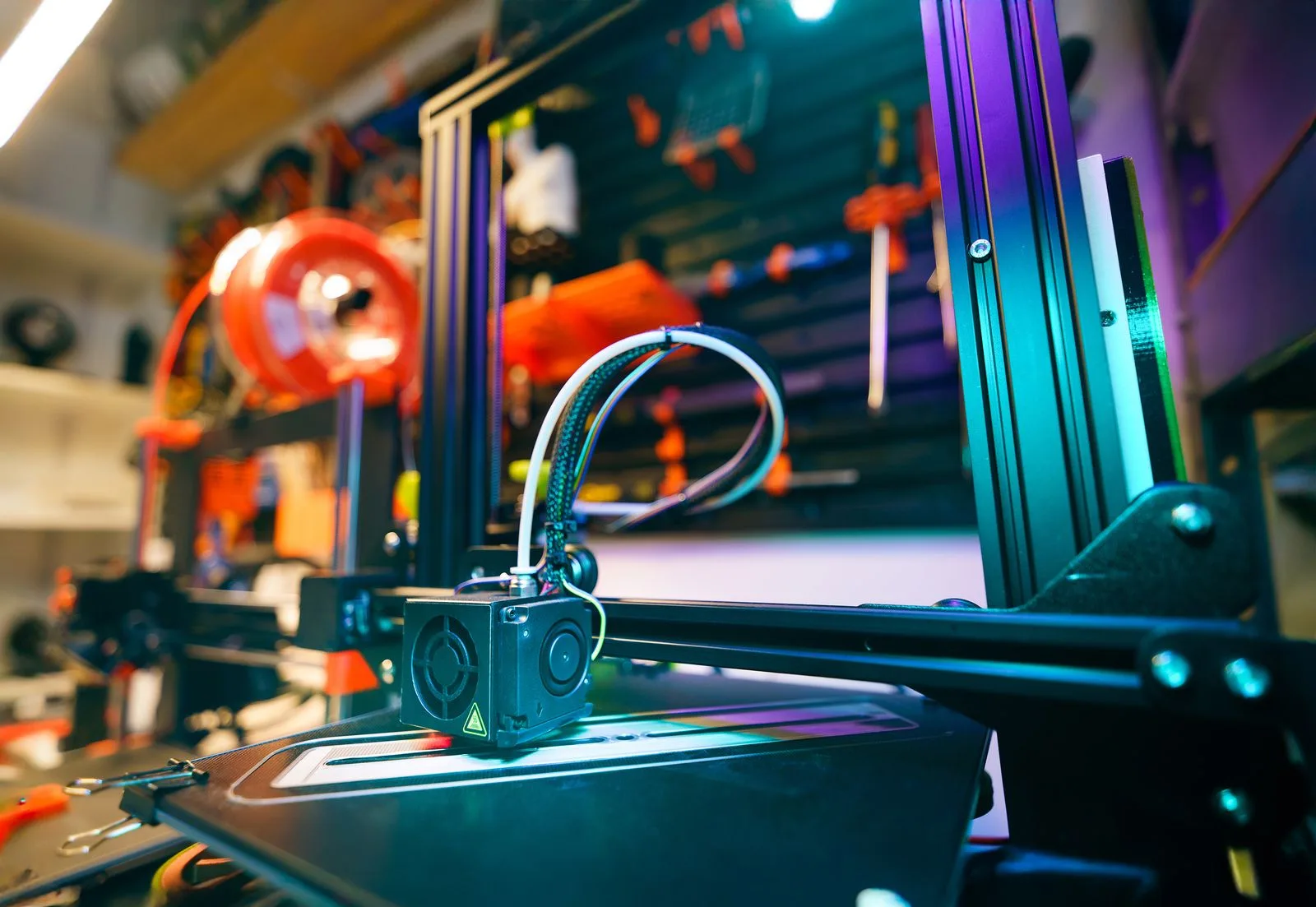
Short answer: The best 3D printer depends on your level and budget. Beginners should start with the Bambu Lab A1 mini or A1 (see my best beginner 3D printers guide). The Snapmaker U1 is the best mid-range multicolour printer, the Bambu Lab P2S is the best single-colour mid-range printer, the Prusa CORE One+ is the best open, repairable enthusiast machine, the Bambu Lab H2D is the best pro dual-nozzle printer, and the Creality K2 Plus Combo is the best large-format option. For miniatures and fine detail, the Elegoo Saturn 4 Ultra 16K resin printer is my pick.
Updated 29 October 2026. Prices are from the makers' US stores on that date and change often, so check the link before buying.
Disclosure: some links below are Amazon affiliate links (tag tinkeratlas0c-20). If you buy through them I may earn a commission at no extra cost to you. Where a printer isn't sold on Amazon, I link the maker's own store with no affiliate tag.
How this list differs from the beginner guide
This page is a recommendation list for every level and budget: mid-range, enthusiast, professional, large-format and resin printers. If you're buying your first printer, the best beginner 3D printers in 2026 guide ranks seven easy-to-use printers from $199, and I won't repeat them here.
Recommended 3D printers at a glance (October 2026)
| Level | Printer | Type | Build volume | Price (maker store, 29 Oct 2026) |
|---|---|---|---|---|
| Beginner | Bambu Lab A1 mini / A1 | FDM, open frame | 180 mm / 256 mm cube | See the beginner guide |
| Mid-range, multicolour | Snapmaker U1 | FDM, 4-toolhead CoreXY | 270 × 270 × 270 mm | $749 (regularly $999) |
| Mid-range, single colour | Bambu Lab P2S | FDM, enclosed CoreXY | 256 × 256 × 256 mm | from $449 (typically $549) |
| Enthusiast | Prusa CORE One+ (Gen 2) | FDM, enclosed CoreXY | 250 × 220 × 270 mm | from $1,299 assembled |
| Pro / multi-material | Bambu Lab H2D Combo | FDM, dual nozzle | 350 × 320 × 325 mm (both nozzles) | $1,599 (typically $1,749) |
| Large-format | Creality K2 Plus Combo | FDM, enclosed CoreXY | 350 × 350 × 350 mm | $1,199 (regularly $1,499) |
| Resin | Elegoo Saturn 4 Ultra 16K | MSLA resin | 211.68 × 118.37 × 220 mm | $399 (regularly $649.99) |
Mid-range multicolour: Snapmaker U1
The Snapmaker U1 is a CoreXY toolchanger with four independent toolheads and a 270 × 270 × 270 mm build volume. In my opinion it's an awesome printer and the first really affordable toolchanger that's actually good. A toolchanger keeps each filament in its own preheated toolhead, so multicolour and multi-material prints don't have to purge filament at every colour change the way single-nozzle AMS-style systems do. Snapmaker lists 5-second tool swaps, up to 500 mm/s, a 300 °C nozzle, a 100 °C PEI bed and automatic toolhead offset calibration. PLA, PETG, TPU, PVA and PCTG print as standard, and ABS, ASA, PA and PC need the optional top cover. The U1 was $749 (regularly $999) on Snapmaker's US store and $749 on Amazon on 29 October 2026.
At $749 I think the U1 is a better buy than the $649 Bambu Lab P2S Combo. It has four independent toolheads instead of one nozzle fed by an AMS, so it wastes very little filament on purging at colour changes, and each toolhead can run a different material. See the full comparison in Snapmaker U1 vs Bambu Lab P2S.
- Best for: multicolour prints, TPU and PLA in one part, and soluble supports, without the purge waste.
- Software: my free, open-source SindriCAD exports multi-colour 3MF projects mapped to the U1's four toolheads (free download at tinkeratlas.com/sindricad).
- Trade-off: it's open on top unless you buy the top cover, and it is 730 mm tall.
Check the Snapmaker U1 price on Amazon · Snapmaker store
Mid-range single colour: Bambu Lab P2S
The Bambu Lab P2S is an enclosed CoreXY printer with a 256 × 256 × 256 mm build volume, and it's the printer I'd recommend once you've outgrown an open-frame machine. The enclosure lets you print ABS, ASA and carbon-fibre filaments that warp on open printers. The P2S without AMS starts at $449 (typically $549) on Bambu Lab's US store. For multicolour printing, I'd now pick the Snapmaker U1 above over the $649 P2S Combo.
- Best for: hobbyists who mostly print in one colour and want speed and an enclosure without tinkering.
- Trade-off: a more closed ecosystem than Prusa or Creality.
Check the Bambu Lab P2S price on Amazon · Bambu Lab store
Enthusiast: Prusa CORE One+ (Gen 2)
The CORE One Plus from Prusa is an enclosed CoreXY printer with a 250 × 220 × 270 mm build volume and a heated chamber up to 55 °C. It's the best choice if you want an open, repairable machine you can build yourself. Prusa lists a 290 °C nozzle (400 °C with the HT option), a 120 °C bed and load-cell first-layer calibration. Multi-material printing is available through the MMU3 or the INDX upgrade (up to 8 filaments). The assembled printer starts at $1,299, and a kit is also sold. The larger CORE One L (300 × 300 × 330 mm) starts at $1,799 assembled.
- Best for: tinkerers who want open firmware, spare parts and long-term support.
- Trade-off: the highest price per litre of build volume on this list.
The CORE One+ is sold directly by Prusa rather than on Amazon, so this is a normal link with no affiliate tag: Prusa CORE One+ on prusa3d.com
Pro and multi-material: Bambu Lab H2D
The Bambu Lab H2D is a dual-nozzle enclosed printer with a 350 °C hotend, a 120 °C bed and active chamber heating up to 65 °C. It's the printer to get for engineering materials and soluble supports. Its build volume is 325 × 320 × 325 mm on one nozzle and 350 × 320 × 325 mm when both nozzles print the same filament. An optional 10 W or 40 W laser and cutting module turns it into a workshop tool. Bambu Lab's US store listed the H2D Combo at $1,599 (typically $1,749) on 29 October 2026.
- Best for: small businesses and makers printing PA, PC or carbon-fibre parts with supports in a second material.
- Trade-off: it weighs 31 kg, and Bambu Lab recommends 700 × 700 × 1100 mm of space for it.
The Amazon US listing showed as unavailable when I checked, so here is the maker's store with no affiliate tag: Bambu Lab H2D on the Bambu Lab store
Large-format: Creality K2 Plus Combo
The Creality K2 Plus Combo is the large-format pick, with a 350 × 350 × 350 mm build volume for cosplay helmets, full-size props and batch printing. Creality lists up to 600 mm/s, a 350 °C nozzle, a 120 °C bed and a chamber heated up to 60 °C. The included CFS adds 4-colour printing, and up to 4 CFS units take it to 16. Creality's store listed it at $1,199 (regularly $1,499) on 29 October 2026.
- Best for: big single-piece prints without splitting models.
- Trade-off: the printer alone weighs 35 kg and is 640 mm tall (916 mm with the CFS on top).
Check the Creality K2 Plus Combo price on Amazon · Creality store
Resin: Elegoo Saturn 4 Ultra 16K
The Elegoo Saturn 4 Ultra 16K is an MSLA resin printer with a 10-inch 16K mono LCD (15120 × 6230) and 14 × 19 µm XY resolution. It's my pick for miniatures, jewellery masters and anything where layer lines matter. The build volume is 211.68 × 118.37 × 220 mm. Elegoo lists auto-levelling, a resin-tank heater that holds 30 °C, tilt release and speeds up to 150 mm/h. Elegoo's US store listed it at $399 (regularly $649.99) on 29 October 2026.
- Best for: tabletop miniatures and fine-detail parts.
- Trade-off: resin needs gloves, ventilation, and washing and curing after every print.
Check the Elegoo Saturn 4 Ultra 16K price on Amazon · Elegoo store
Which 3D printer should you buy?
The right 3D printer is the one that matches what you print most: material, size and detail decide it more than speed.
- First printer, under $400: the beginner guide, or read starting 3D printing on a $300 budget.
- Single colour, including ABS/ASA: Bambu Lab P2S.
- You want to repair, mod and own your machine: Prusa CORE One+, or build your own (see my Fenrir CoreXY project and how CoreXY works).
- Multicolour or mixed materials without purge waste: Snapmaker U1.
- Engineering materials or soluble supports: Bambu Lab H2D.
- Big prints: Creality K2 Plus Combo.
- Miniatures and fine detail: Elegoo Saturn 4 Ultra 16K.
Not sure which Bambu Lab model fits? See the Bambu Lab printer comparison. For printable projects, tools and model discovery, visit TinkerAtlas.
Printers I've owned
These are printers I've owned and used over the years. They're kept here for reference, and newer models above have replaced them as my recommendations.
- Kingroon KLP1: a compact CoreXY printer with Klipper firmware and a 210 × 210 × 210 mm build volume. It showed how much Klipper's input shaping helps at high speed on a budget machine.
- Two Trees SP-5: a 300 × 300 × 330 mm CoreXY kit. It took longer to build than prebuilt Cartesian printers, but it printed very well and was easy to upgrade.
- Creality Ender 3: my second printer, with amazing value for money in 2018–2019 and endlessly upgradable. See the best upgrades for the Creality Ender 3.
- Sovol SV06: an entry-level Cartesian printer with a 220 × 220 × 250 mm build volume and a direct-drive extruder.
Related guides
Comparing the two mid-range picks? Read Snapmaker U1 vs Bambu Lab P2S. New to colour printing? See multicolour 3D printing explained. Buying for a print business? See the best 3D printer for a small business. Not sure what the numbers mean? Read 3D printer specifications explained.
FAQ
What is the best 3D printer overall in 2026?
The best 3D printer overall is the Snapmaker U1 for most hobbyists who want multicolour. The U1 was $749 on 29 October 2026. If you print in one colour, the enclosed Bambu Lab P2S from $449 is the better buy. Beginners on a tighter budget should look at the A1 mini or A1 in the beginner guide.
Should I buy a resin or an FDM printer?
FDM is the better choice for functional parts, large prints and low-mess printing. Resin is better (for example the Elegoo Saturn 4 Ultra 16K) for miniatures and fine detail if you accept the extra washing, curing and ventilation.
Do I need an enclosed printer?
An enclosure is needed for ABS, ASA, nylon and polycarbonate, which warp or crack in drafts. PLA and PETG print fine on open-frame printers. See warping causes and fixes.
What is the best large-format 3D printer?
The Creality K2 Plus Combo is my large-format pick, with a 350 × 350 × 350 mm build volume and a heated chamber. The Bambu Lab H2D is close at 350 × 320 × 325 mm and adds a second nozzle.
What is the best multicolour 3D printer?
The Snapmaker U1 is my pick for multicolour printing because its four toolheads swap in about 5 seconds instead of purging filament at every colour change. If you prefer the Bambu ecosystem, the P2S Combo with AMS ($649) is the alternative, but it purges filament at every colour change.
Sources
All specifications and prices are from the manufacturers' own pages, checked on 29 October 2026.
- Snapmaker U1 product page and specifications
- Bambu Lab US store, P2S Combo and H2D Combo prices (checked 29 Oct 2026)
- Bambu Lab H2D technical specifications
- Prusa CORE One+ (Gen 2) product page and technical parameters
- Creality K2 Plus specifications and Creality store price
- Elegoo Saturn 4 Ultra 16K product page and Elegoo launch announcement